
Learn how to build a fully animated 3D book from scratch and simulate organic, physics-driven letters falling on its pages.
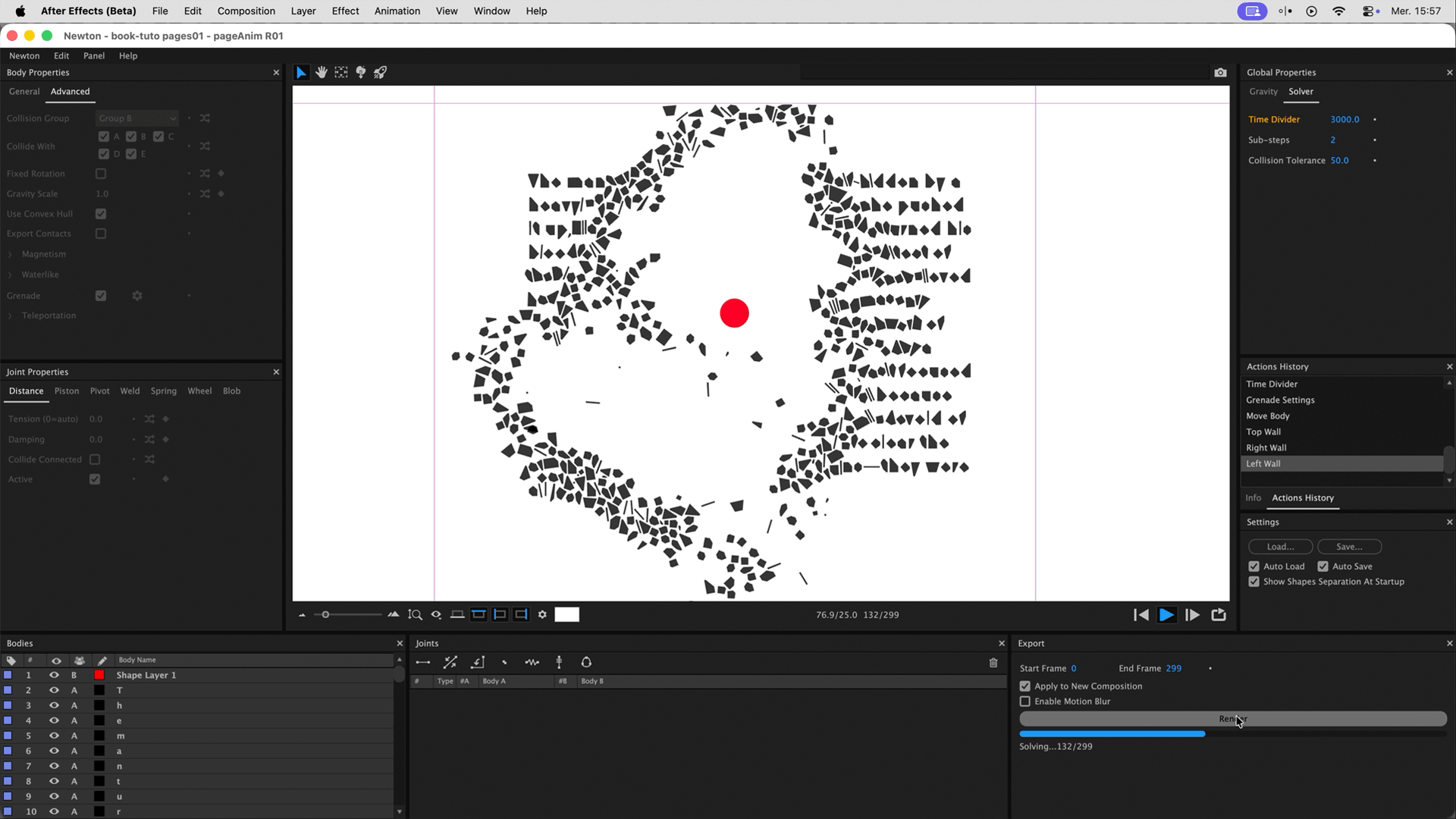
In this After Effects tutorial, discover how to combine 3D layers, expressions, and our Newton plugin to create a stunning, realistic book animation. We will first build the 3D book mechanics (turning and bending pages), then use Newton to simulate zero-gravity explosions and falling letters, and finally tie it all together with animated foliage shadows and Depth of Field.
Inspired by the amazing Rooster opening credits.
Get our tools for Adobe After Effects: link
Download the Free 3D Book Generator script from Good Rond : link
Project Files (AE 2026) link
Questions or feedback? Feel free to join our Discord server
The goal of this tutorial is to create a realistic 3D book with turning pages, and then populate those pages with text that reacts to natural physics. We will use native After Effects 3D features to build the book, Newton 4 for the rigid body simulations, and the Advanced 3D renderer for a high-quality final result with Depth of Field.
Links & Resources:
Create a new HD composition named "Book". Import your placeholder pages (comps containing a Text Layer and a colored Solid, named L and R for Left and Right). Make sure all layers are set to 3D.
Create a Null Object, justify it to the left edge of your pages, and parent your pages to it. Animate the Null's Y Rotation from 0° to 180° over 60 frames.
To prevent the Left and Right pages from perfectly overlapping (Z-fighting), offset them in Z by half a pixel (0.5px) to create a total thickness of 1 pixel. Rotate the left page 180° on the Y-axis so it reads correctly when turned.
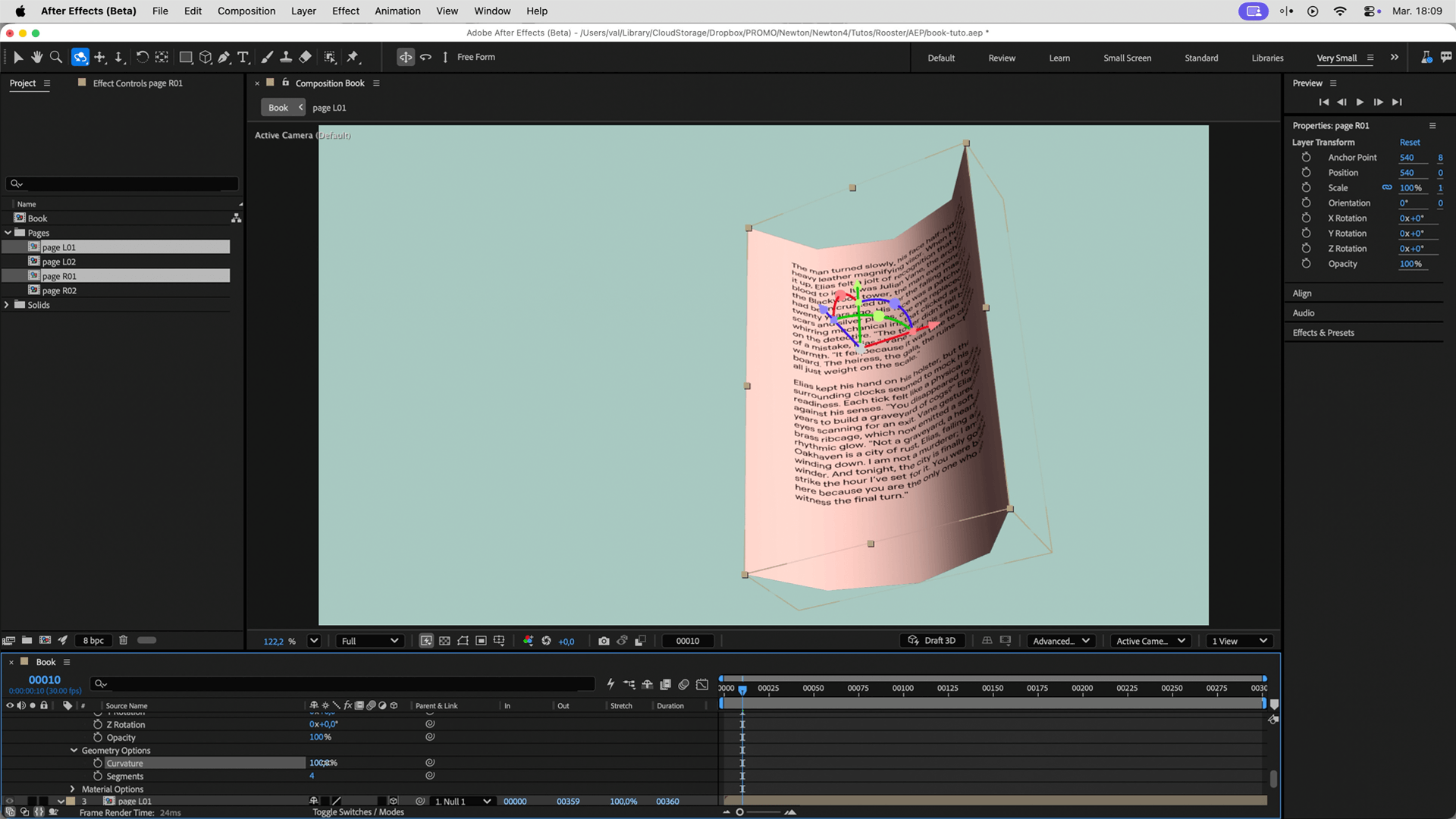
Ensure the Advanced 3D engine is selected. Use the Curvature geometry option in After Effects to bend the page. Animate it during the rotation: start at 0%, peak at 80%, dip into a negative value, and return to 0%.
Tip: Link the Curvature of the left page to the right page using an expression. Multiply it by -1, and target the layer above. This will be incredibly handy when duplicating sheets!
Add a simple Solid called "Floor" and make it 3D. Since the pages have thickness, push the floor back to 5 pixels in Z-depth to leave enough room for the stacked pages.
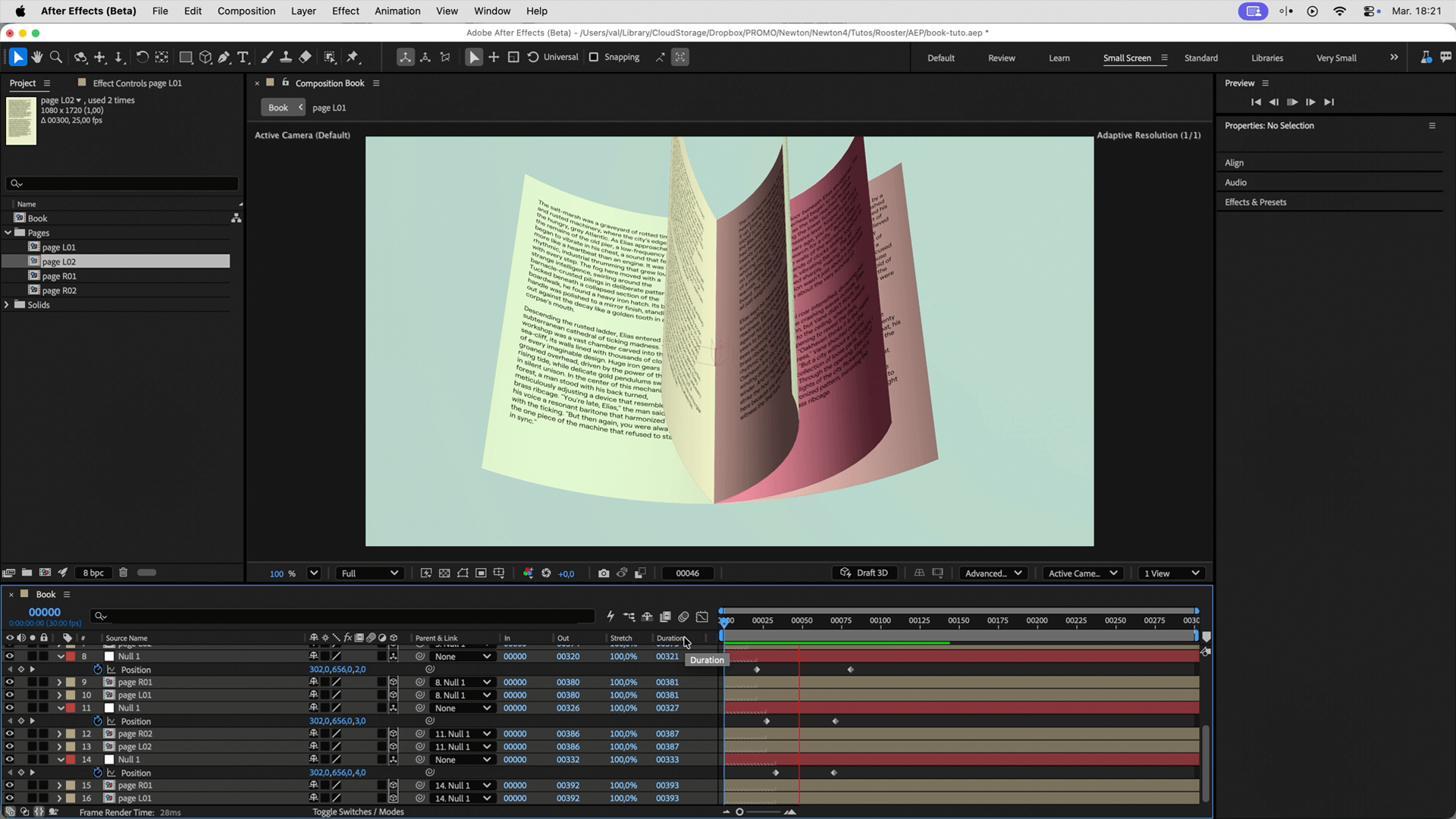
Enable Time Remapping on your pages. Duplicate your first sheet and replace the sources with your next pages (L02 and R02).
In reality, the right page starts on top but ends up at the bottom once turned. To replicate this:
If pages clip through each other during the turn, offset their Z-position animation in time. The further you go into the book, the earlier the Z-animation must happen.
Instead of using a static scanned image, create a unique procedural paper texture using a Fractal Noise effect coupled with an expression. This ensures every duplicated page looks unique!
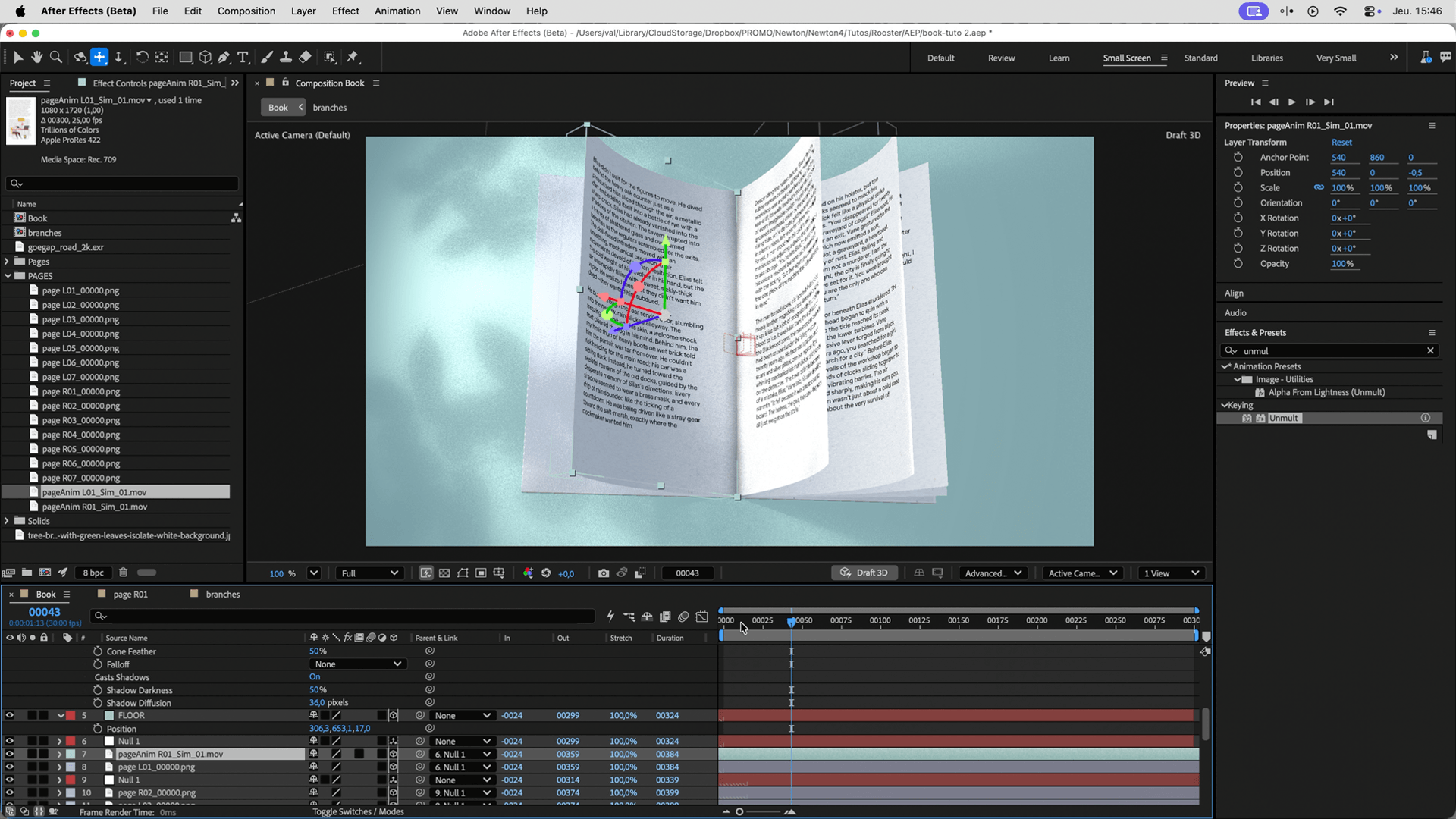
Create a Spot Light to cast directional shadows (simulating a nearby window). Then, add an Environment Light using an HDR (.exr) image as the source for beautiful, realistic global illumination.
Import an image of a branch and use the Unmult plugin to remove the white background.
Create a hardcover using 3D Primitive. Scale it up slightly so it overhangs the pages, add a small Bevel to catch the light, and push it slightly in Z-depth. Finally, add a Camera and enable Depth of Field to take full advantage of the Advanced 3D engine.
Building the page mechanics manually is a great learning exercise, but it can be tedious. Goodrond created a free script that automates the entire 3D book creation!
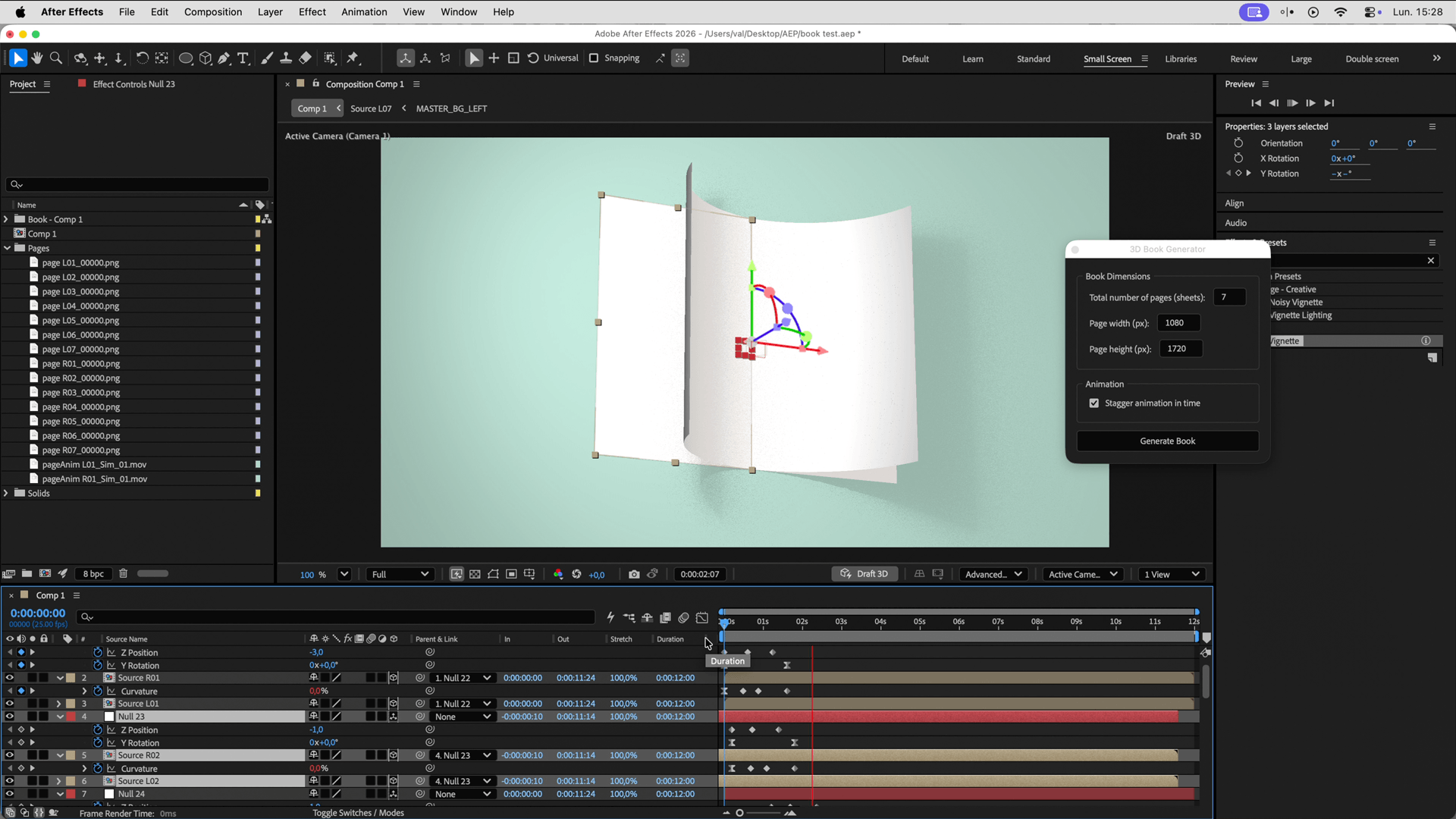
Just launch the script, choose the number of pages, and it generates the fully animated book with all the correct expressions and Z-depth offsets. If you name your compositions logically (L01, R01, etc.), the script will even detect and replace them automatically.
Good Rond made this script to automate the creation of the animated sheets:
3D Book Generator
We hope you enjoyed this tutorial and that it inspires you to create superb 3D books. Don't forget to tag us on Instagram or Reddit if you use these techniques! See you very soon for new tutorials.